Roughly 95% of cybersecurity breaches start with a human mistake — a clicked link, a returned phone call, a USB stick plugged into a laptop, a CFO who approved a wire transfer because the “CEO” on the Zoom call looked and sounded exactly right. Firewalls cannot fix this. EDR cannot fix this. The only real defense is a person who has seen the trick before and recognizes it on contact.
The IT-Master CyberAwareness Lab is a free, browser-based platform built to give you exactly that experience. Ten interactive modules. Over a hundred realistic scenarios. A personalized Phish-prone Score and a six-axis radar chart so you know exactly where your blind spots are. No installation, no signup, no cost.
It is designed by IT-Master VINH NTT for individuals, students, IT teams running internal workshops, and anyone who wants to actually practice security awareness instead of sitting through another twenty-minute video.
Try it free → hub.it-master.co/cyberawareness
Why a Hands-On Lab Beats Traditional Security Awareness Training
Most corporate security awareness training looks the same: a 15-minute compliance video, a five-question quiz at the end, a certificate, and the same employees clicking the same phishing emails three weeks later. The reason is simple — passive content produces passive learning.
The IT-Master CyberAwareness Lab takes the opposite approach. Every module drops you directly into a realistic threat scenario and asks you to make a decision. You read the email. You inspect the URL. You decide whether the caller is really your bank. The platform tells you whether you got it right, explains why, and shows you the indicators you should have spotted.
That feedback loop — decide, learn from the outcome, decide again — is how recognition actually becomes a reflex. And reflexes are what matter when a real phishing email lands in your inbox at 4:47 PM on a Friday.
What You Get in the IT-Master CyberAwareness Lab
The platform is organized as a progressive 4-phase learning path with 10 modules, plus an Assessment dashboard that synthesizes everything you have done into a single security profile.
Phase 1 — Recognize threats: Phishing → Smishing → URL Analysis Phase 2 — Secure behavior: Passwords → Social Engineering Phase 3 — Advanced threats: Vishing → AI Scams & Deepfakes Phase 4 — Enterprise security: Data Classification → Incident Reporting → Compliance Final: Security Assessment with Phish-prone Score and 6-axis radar chart
Everything runs in your browser. Progress is saved automatically to your local storage so you can come back and pick up where you left off. Every module can be retaken unlimited times — your best score is what gets reported.
Below is a tour of each module with a sample scenario so you can see exactly what you will be working with.
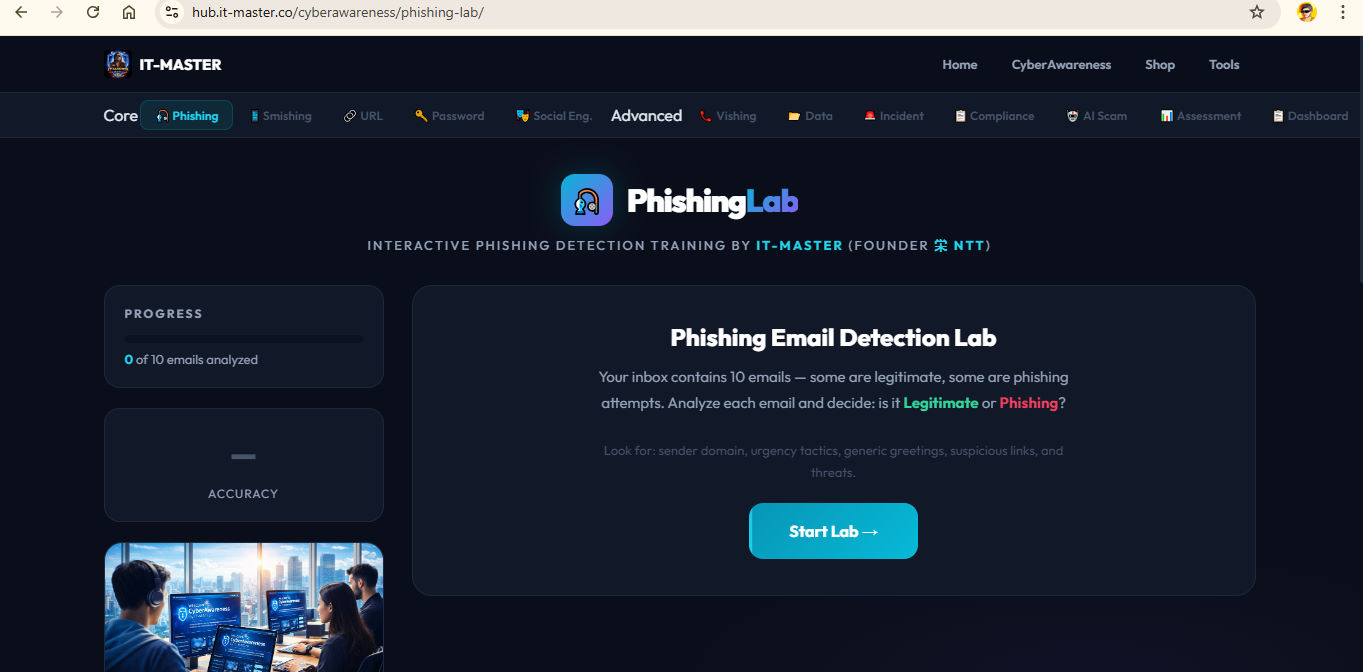
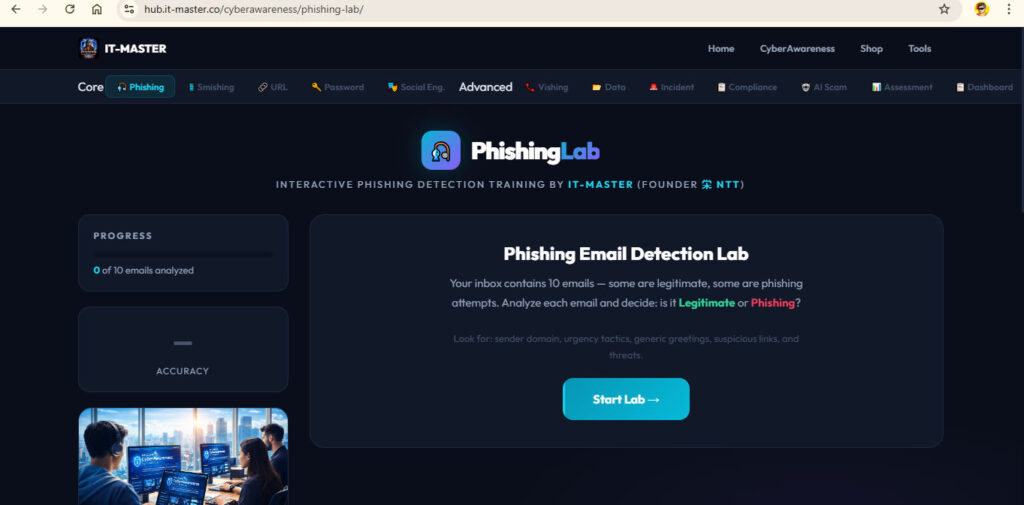
Module 1 — Phishing Email Detection Lab
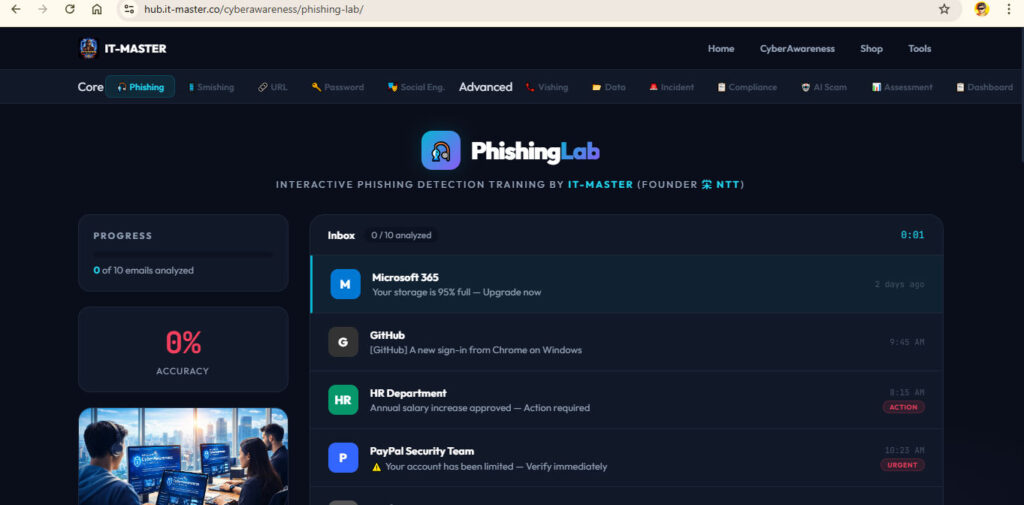
Ten realistic emails appear in a simulated inbox. Some are legitimate. Some are not. Your job is to inspect each one — sender domain, link target, urgency cues, generic greetings — and decide.
Sample scenario: An email from security@paypa1-support.com arrives with the subject “⚠️ Your account has been limited — Verify immediately.” It demands action within 24 hours or your account will be permanently suspended. A click reveals the explanation: the sender domain uses the digit “1” instead of the letter “l” — a classic homograph trick. Real PayPal sends from @paypal.com. The 24-hour deadline is manufactured urgency, and “Dear Valued Customer” is the giveaway that they do not actually know who you are.
The lab teaches the same five-second checklist real SOC analysts use: check the domain, hover the link, look for urgency, look for generic greetings, look for too-good-to-be-true offers.
Module 2 — Smishing (SMS Phishing) Detector
A simulated phone interface presents 10 text messages. Fake delivery notices (“Your DHL package is held — pay $2.99 fee”), fake bank alerts, fake prize-winnings, fake “your son was in an accident” messages. You decide whether to trust each one.
Sample scenario: A text claims your DHL package is held at the distribution center for an unpaid $2.99 surcharge. The link points to dhl-delivery-notice.com. Real DHL never charges arbitrary fees by SMS, never uses lookalike domains, and never asks for payment via shortened links. The lab walks you through how to verify any package by going directly to the carrier’s official app.
Module 3 — URL & Link Analysis Lab
Twelve URLs with context. You learn to read a domain right to left — because the part of a URL that actually identifies the website is the rightmost segment before the first slash, not the part that looks most familiar.
Sample scenario: https://paypal.com.security-update.net/login — at first glance the URL looks like PayPal. But reading right to left, the actual domain is security-update.net. Everything before that is just a subdomain the attacker chose to make the URL look trustworthy. The module also covers typosquatting (amaz0n.com), homograph attacks (using Cyrillic characters that look like Latin letters), and the @ symbol exploit (https://paypal.com@evil.com actually goes to evil.com).
This single module is one of the most valuable in the platform — once you internalize how to read a URL, you become significantly harder to phish.
Module 4 — Password Security Lab
Three sections in one module. Section 1 is a live password strength analyzer — type any password and see real-time feedback on length, character pool, and how long it would take to crack. Section 2 presents 8 head-to-head password comparisons where you pick the stronger of two options. Section 3 is a passphrase generator that demonstrates why correct horse battery staple is mathematically stronger than P@ssw0rd1!.
Sample scenario: You are asked to compare Tr0ub4dor&3 (the famous XKCD example) against correct horse battery staple. The lab shows that the second one — despite being all lowercase letters and easier to remember — has dramatically higher entropy because length beats character variety. This is the lesson NIST guidance has been pushing since 2017, and it is the single biggest password-related shift in the last decade.
Module 5 — Social Engineering Scenarios
Ten immersive workplace situations where you have to choose the right response. USB baiting, tailgating, CEO fraud, fake tech support, pretexting, quid pro quo attacks.
Sample scenario: Walking into the office, you see someone in a delivery uniform behind you carrying boxes. They ask you to hold the door because their hands are full. You can: (a) hold the door — they are clearly delivering something, (b) politely ask them to badge in themselves and offer to help carry the boxes if needed, or (c) pretend you did not hear them and let the door close. The lab walks you through why option (b) is correct, and how tailgating is the entry point for some of the most expensive physical-access breaches on record.
Module 6 — Vishing (Voice Phishing) Lab
Ten phone-call transcripts. Bank impersonation, IRS scams, the grandparent scam, fake tech support, fake police calls. You read the transcript and decide what to do.
Sample scenario: Your phone rings — caller ID says it is your bank. The voice on the line says they have detected fraud on your account and need to “verify” your card number, CVV, and one-time code so they can “reverse the charge.” Real banks never ask for your CVV or one-time code over the phone. The lab teaches the universal vishing rule: hang up and call back on the number printed on the back of your physical card.
Module 7 — Data Classification & Handling
Two-section module. First, classify 12 data items into Public, Internal, Confidential, or Restricted. Then, handle 8 workplace data scenarios — what do you do with a customer database on a USB drive someone left in the office kitchen?
Sample scenario: You need to send a spreadsheet of customer names, emails, and credit card numbers to a vendor. The lab walks you through what classification this data falls under (Restricted — this is PCI-DSS material), what handling procedure applies (encrypted transfer, signed agreement, retention limits), and what the consequences look like under GDPR and PCI-DSS if you get it wrong.
Module 8 — Incident Reporting Simulator
Ten security incidents. For each, you make three decisions: assign a severity level (P1–P4), choose the first response action, and select what evidence to collect. Three points per incident, 30 points total.
Sample scenario: A user reports they clicked a link in a suspicious email and entered their password. Severity? (P2 — confirmed credential compromise, but not yet a breach). First response? (Reset the password and revoke active sessions, before investigating). Evidence to collect? (The original email headers, the URL clicked, login activity on the account in the last 24 hours, any data accessed during the suspicious session). The lab teaches the incident response order of operations that the CompTIA Security+ and CySA+ exams both test heavily.
Module 9 — Compliance Basics (GDPR, HIPAA, PCI-DSS)
Twelve violation scenarios. You identify which regulation is primarily violated and learn the actual fine amounts and real-world cases.
Sample scenario: A US hospital posts a patient testimonial on Facebook with the patient’s name, photo, and condition — without written consent. Which regulation? (HIPAA, in the US). Real-world parallel: the Anthem breach, the New York-Presbyterian fines, the small clinics fined six figures for casual social-media posts. This module is invaluable for anyone whose job touches customer data, healthcare, or payments — which, in 2026, is most jobs.
Module 10 — AI Scam & Deepfake Awareness
This is the module that did not exist three years ago and that every employee on the planet now needs. Twelve scenarios covering deepfake video calls, AI voice cloning, ChatGPT-written phishing, synthetic identities, and AI-generated fake reviews.
Sample scenario: You receive a Zoom call from your CEO. The video shows their face, their usual home-office background, and the voice sounds exactly like them. They tell you they are in a confidential M&A deal and need a $250,000 wire transfer within the hour, with no email follow-up — only this Zoom chat. The correct answer is to hang up and call the CEO on a separate, known channel — and the lab cites the real-world Hong Kong case from 2024 where a finance worker was tricked into wiring $25 million after a deepfake video call impersonating the company’s CFO and other executives.
The module also covers the AI voice-clone kidnapping scam (criminals scrape 3–5 seconds of a child’s voice from social media, then call parents demanding ransom in Bitcoin), the LLM-written phishing email that no longer has any of the broken-English tells we used to rely on, and the ChatGPT-generated fake résumé attacks now hitting HR teams.
The Final Step — Security Assessment with Phish-prone Score & Radar Chart
After you complete modules, the Assessment page synthesizes everything into a personal security profile:
- A Phish-prone Score ring (the same metric used by enterprise platforms) showing how vulnerable you are on a 0–100 scale, color-coded from Low Risk → High Risk
- A 6-axis radar chart showing your strength across Email Security, SMS/Voice, Passwords, Social Engineering, Data/Compliance, and AI Threats — so you can see at a glance which axis is your weakest
- A module breakdown with your best score, attempts, and last-attempted date for each of the 10 modules
- A weak areas panel that automatically flags modules where you scored below 70% and links you straight back to retake them
The progress dashboard also shows the recommended next module so you always know where to go next.
Who Should Use This Lab?
Individuals and self-learners who want to genuinely improve their personal security posture — anyone who has ever wondered “would I have caught that phishing email?” can now find out in twenty minutes.
Students preparing for CompTIA Security+, CySA+, or Network+ — every module reinforces an exam objective, and the social engineering, phishing, and incident-reporting modules are particularly aligned with Security+ SY0-701.
IT teams running internal lunch-and-learn sessions — instead of buying expensive enterprise training, you can point your team at the URL and run a 30-minute session where everyone goes through the Phishing module together and compares scores.
Trainers and educators — the platform is genuinely free and works on any device with a browser, including Chromebooks, iPads, and locked-down corporate laptops.
Security-conscious parents — the AI Scam module especially is something every parent should walk through with their kids. The voice-cloning kidnapping scenario alone is worth the time.
Why It Is Free (And What This Lab Cannot Do)
The IT-Master CyberAwareness Lab is genuinely free for individuals — no subscription, no email signup, no upsell. The whole platform runs in your browser using local storage, which means your progress is private to your device and never leaves it.
That said, there are things a single-user, browser-based lab cannot do — and these are precisely the things organizations need:
- Centralized employee tracking and reporting — knowing which 47 of your 300 employees are still failing the phishing module
- Live phishing simulation campaigns — sending real (but safe) test phishing emails to actual employee inboxes and tracking who clicks
- Custom branded training portals with your company logo, your domain, your tone
- Exportable PDF compliance reports for auditors, ISO 27001, SOC 2, and regulators
- Industry-specific content libraries (healthcare for HIPAA, finance for PCI-DSS, government for FISMA)
- Continuous content updates as the threat landscape evolves
If your organization needs any of those — and most organizations beyond a small team eventually do — the natural next step is a full-featured enterprise platform like EC-Council Aware. EC-Council Aware delivers exactly the capabilities above: a complete admin dashboard, continuous live phishing simulation, role-based training paths, and the kind of audit-ready reporting that compliance officers actually need.
You can explore the EC-Council Aware solution and licensing options through IT-Master at it-master.co/products/eccouncil-aware. The free CyberAwareness Lab is the perfect place to learn the concepts and prove the value of awareness training to your team — and EC-Council Aware is what you scale up to when you are ready to roll it out organization-wide with full tracking and accountability.
Try It Now
The lab is free, browser-based, and ready to run. No signup, no install.
🛡️ Open the lab → hub.it-master.co/cyberawareness
Start with the Phishing Email Detection Lab, follow the recommended path, and aim to complete all 10 modules. After your final assessment, you will know exactly where your blind spots are — and you will know what attackers were going to exploit before they get the chance.
The IT-Master CyberAwareness Lab is built and maintained by VINH NTT, an IT-Master with two decades in cybersecurity who builds the kind of practical training tools he wishes had existed when he was the one teaching staff how not to get phished. Connect on LinkedIn to follow along as new modules ship.
The threat landscape is not slowing down. Your reflexes can.
Author VINH NTT