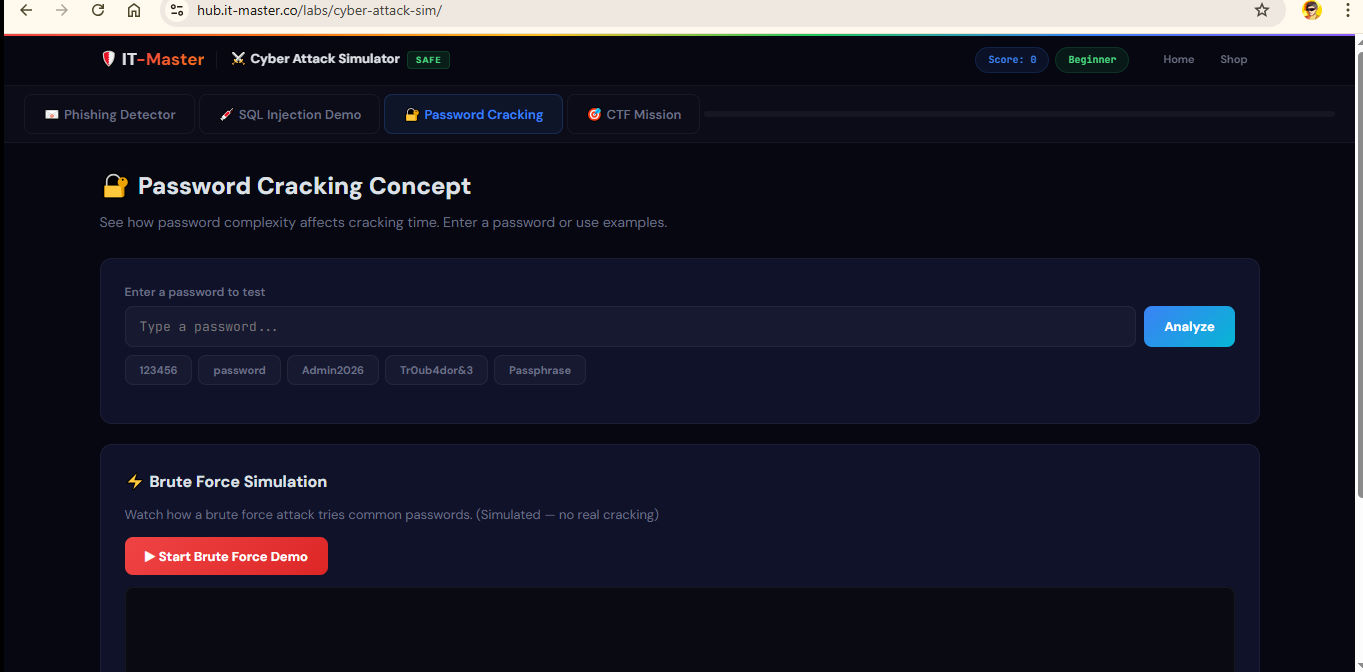
URL: https://hub.it-master.co/labs/cyber-attack-sim/
Level: Beginner → Intermediate | Format: Interactive Browser Lab | Cost: Free
Relevant Certifications: CompTIA Security+, CySA+, PenTest+, CEH, and CompTIA SecurityAI+ (CY0-001)
Table of Contents
- What Is the IT-Master Cyber Attack Simulator?
- Why This Lab Exists — The Problem It Solves
- Key Features at a Glance
- Module 1 — Phishing Detector
- Module 2 — SQL Injection Demo
- Module 3 — Password Cracking Analyzer
- Module 4 — CTF Mission (Capture the Flag)
- Gamification: Scoring, Levels & Progress Tracking
- How to Access — No Installation Required
- Who Is This Lab For?
- How It Aligns With Real-World Certifications
- Going Deeper: CompTIA SecurityAI+ CY0-001
- Frequently Asked Questions
- Conclusion
1. What Is the IT-Master Cyber Attack Simulator? {#what-is}
The IT-Master Cyber Attack Simulator is a free, browser-based educational lab that lets you experience — safely and hands-on — how the most common cyberattacks actually work. Built and maintained by IT-Master, an official CompTIA and EC-Council training partner, this simulator runs entirely in your web browser with zero software installation required.
Unlike reading a textbook or watching a video, this lab puts you in the seat of both the attacker and the defender. You analyze real-looking phishing emails, watch SQL injection break a login form in real time, measure how long it would take to crack a password, and work through a guided penetration-testing mission — all in a controlled, sandboxed environment that affects no real systems whatsoever.
In short: If you want to understand cybersecurity by doing, not just by reading, this is the place to start.
2. Why This Lab Exists — The Problem It Solves {#why-it-exists}
Most people learn about cybersecurity threats the hard way — after they’ve already clicked a phishing link, had their credentials stolen, or watched a breach unfold at their organization. Traditional security awareness training is often passive: a slide deck, a compliance video, a quiz with obvious answers.
The IT-Master Cyber Attack Simulator was designed to close this gap. By letting learners actively simulate attacks and immediately see the consequences, it builds the kind of pattern-recognition instinct that makes a real difference when facing actual threats. This approach is increasingly recognized by certification bodies and security frameworks as essential for modern defenders.
Core problems this lab addresses:
- Learners forget passive content quickly; hands-on experience sticks
- Setting up a real test environment (Kali Linux, vulnerable VMs, etc.) is a barrier for beginners
- Security concepts like SQL injection are abstract until you see them execute live
- Password hygiene is hard to internalize without viscerally understanding cracking speed
3. Key Features at a Glance {#key-features}
| Feature | Detail |
|---|---|
| Access | 100% browser-based — no download, no install |
| Cost | Free |
| Modules | 4 interactive learning modules |
| Gamification | Score system, skill level badges, global progress bar |
| Safety | Fully sandboxed — zero impact on real systems |
| Certification alignment | Security+, CySA+, PenTest+, CEH, SecurityAI+ CY0-001 |
| OWASP coverage | OWASP Top 10 A03:2021 (Injection), social engineering |
| Device support | Desktop and mobile browsers |
4. Module 1 — Phishing Detector {#module-1}
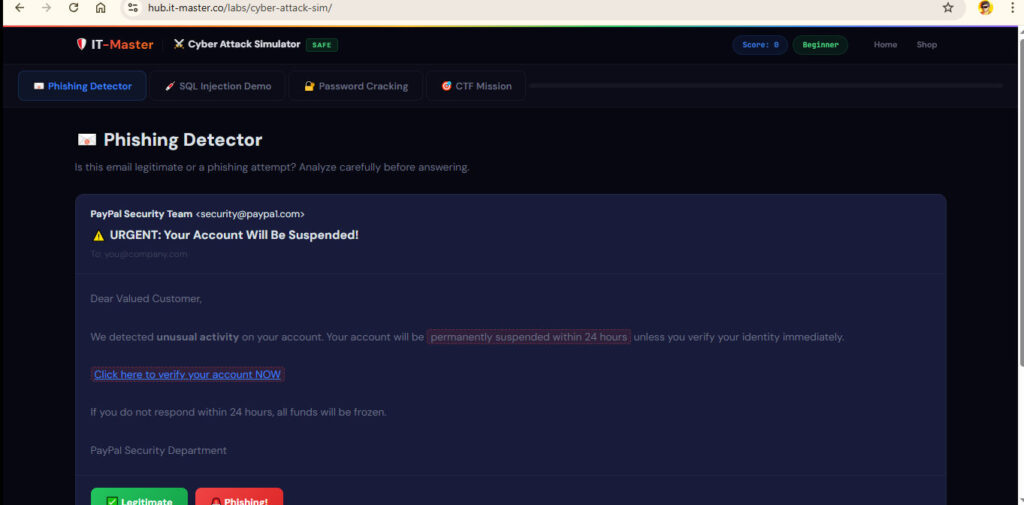
What You Do
You are shown a series of six realistic-looking emails, one at a time. Your job: decide whether each email is Legitimate or a Phishing attempt before clicking to reveal the full analysis.
What You Learn
After each decision, the simulator reveals a detailed breakdown of every indicator — good or bad — present in that email. Indicators covered include:
- Typosquatting domains — e.g.,
paypa1.com(the number “1” instead of the letter “l”),c0mpany.com(zero instead of “o”),micros0ft-365.com - Urgency and fear language — “Your account will be suspended in 24 hours”, “funds will be frozen”, “locked out of ALL services”
- Suspicious link targets — hovering to reveal that a “PayPal” link actually points to
paypa1-secure-verify.xyz - Sensitive information requests — asking for banking details over email
- Generic greetings — “Dear Valued Customer” versus a real name
- Legitimate email characteristics — specific device/location/time details, calm informational tone, real domain links
Example Scenarios
The six emails simulate real-world attack vectors you’re likely to encounter:
- A fake PayPal security alert with typosquatted sender domain
- A real GitHub sign-in notification (legitimate — don’t flag it)
- A fake HR direct-deposit update targeting all employees
- A legitimate Google Workspace storage warning
- A fake Microsoft 365 password expiry with a 2-hour countdown
- A legitimate LinkedIn profile view notification
Why This Matters
Phishing accounts for the majority of initial breach vectors in enterprise environments. The ability to recognize social engineering tactics visually and instinctively — rather than through a checklist — is one of the most valuable defensive skills any user or security professional can develop.
Certification mapping: CompTIA Security+ SY0-701 Domain 2.2 — Social Engineering Techniques
5. Module 2 — SQL Injection Demo {#module-2}
What You Do
You interact with a simulated login form. On the left, you type a username and password. On the right, you watch the SQL query that the server would actually generate — updating live as you type.
One-click payload buttons let you try:
- A normal login (wrong credentials → login fails as expected)
- SQLi Payload #1:
' OR '1'='1— a classic always-true injection - SQLi Payload #2:
admin'--— commenting out the password check - SQLi Payload #3:
' OR 1=1; --— alternate always-true syntax
What You See
When an injection payload is submitted, the query display transforms. The injected characters light up in red, a warning appears showing that query logic has changed, and — most dramatically — the login form returns “ACCESS GRANTED (via SQL Injection!)” even though no valid credentials were used.
The module then explains in plain language exactly why this happened: the attacker-controlled input escaped its expected string context, restructured the SQL logic, and caused every user record to match.
Prevention Techniques Covered
The module doesn’t just show the attack — it teaches the defense:
- Parameterized queries (prepared statements) — the single most effective defense
- Input validation and sanitization
- Web Application Firewall (WAF) deployment
- Principle of least privilege for database accounts
Why This Matters
SQL injection has been among the OWASP Top 10 most critical web vulnerabilities for over a decade. It ranks as OWASP A03:2021 — Injection and has been responsible for high-profile breaches at Sony, Heartland Payment Systems, and TalkTalk. Understanding how it works is prerequisite knowledge for anyone pursuing a career in application security, penetration testing, or secure development.
Certification mapping: CompTIA PenTest+ PT0-002, CompTIA CySA+ CS0-003, OWASP A03:2021
6. Module 3 — Password Cracking Analyzer {#module-3}
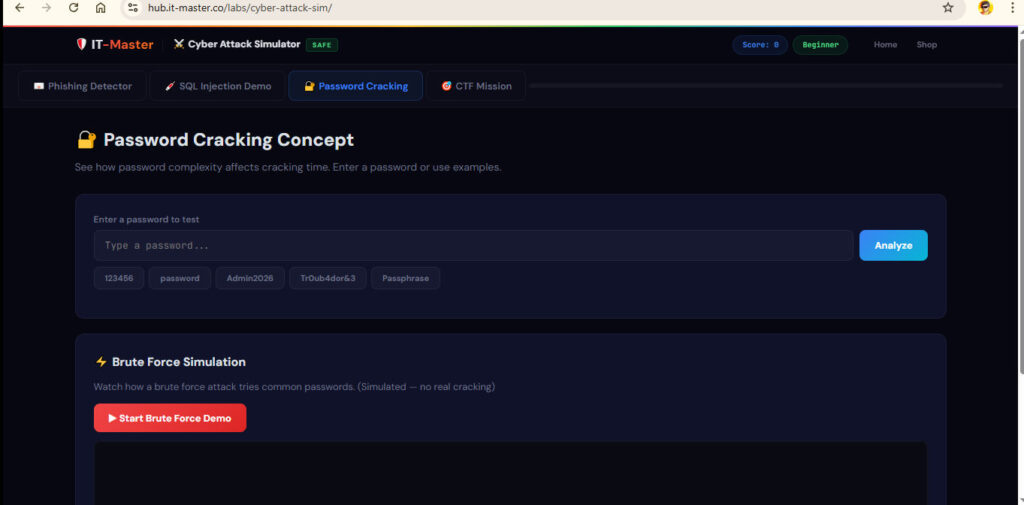
What You Do
Enter any password — or choose from preset examples — and the analyzer calculates an estimated time to crack it using common attack methods, along with a strength rating and specific improvement advice.
Preset examples walk you through the entire spectrum:
| Password | What It Demonstrates |
|---|---|
123456 | Trivially weak — in every wordlist |
password | Common dictionary word — instant crack |
Admin2026 | Mixed case + numbers — better but guessable |
Tr0ub4dor&3 | Complex substitution — strong but memorable |
correct-horse-battery-staple | Long passphrase — demonstrates how length beats complexity |
What You Learn
- How password length exponentially increases the search space
- Why dictionary-based and rule-based attacks defeat simple substitutions (p@ssw0rd, Adm1n!)
- Why passphrases (four unrelated words joined by hyphens) outperform complex short passwords
- The real-world math behind brute-force cracking speeds
- How salted hashing and multi-factor authentication change the equation
Why This Matters
Weak and reused passwords remain a leading cause of account compromise. This module converts abstract advice (“use strong passwords”) into visceral understanding: when you see that your clever password would fall in seconds, the lesson is unforgettable.
Certification mapping: CompTIA Security+ SY0-701 Domain 4 — Identity and Access Management
7. Module 4 — CTF Mission (Capture the Flag) {#module-4}
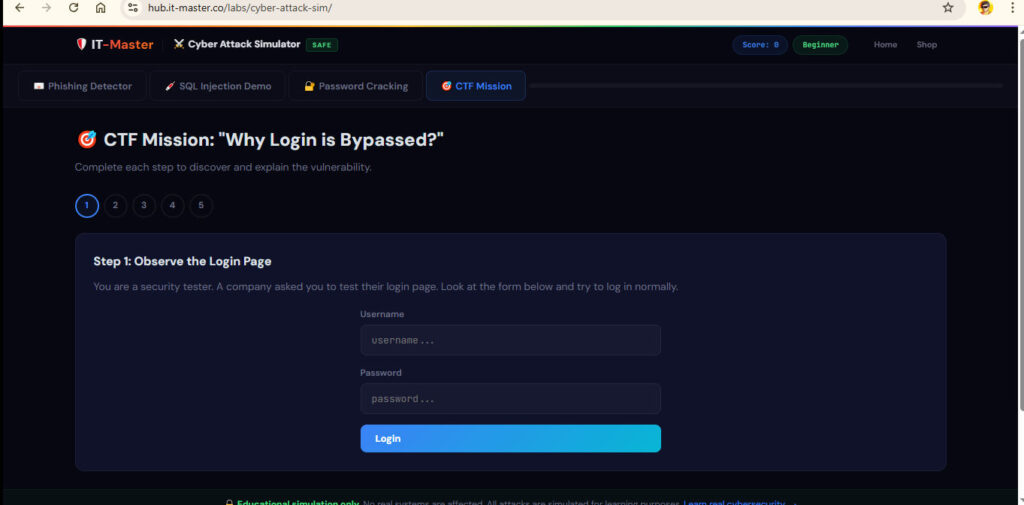
What You Do
This is the culminating experience: a guided, five-step Capture the Flag scenario that puts you in the role of a security consultant hired to test a company’s login page.
Mission steps:
- Observe the Login Page — You approach it as a tester, not a user
- Normal Login Fails — Confirm that standard credentials don’t work
- Try SQL Injection — Execute the
admin' OR '1'='1payload yourself - Analyze the Result — Answer: Why did the login succeed despite the wrong password?
- Recommend a Fix — Identify the #1 defense: parameterized queries
Why This Format Works
CTF challenges are the gold-standard training format used by DEFCON, HackTheBox, TryHackMe, and professional red-team training programs. By following a structured narrative — observe, attack, analyze, remediate — the module reinforces not just the what but the how and why of security testing methodology.
Completing the CTF awards the highest point value in the simulator (20 points) and unlocks the full score breakdown for the session.
Certification mapping: CompTIA PenTest+ PT0-002, EC-Council CEH — Penetration Testing Methodology
8. Gamification: Scoring, Levels & Progress Tracking {#gamification}
The simulator uses a lightweight but effective progression system to keep engagement high:
| Points Earned | Skill Level |
|---|---|
| 0–19 | Beginner |
| 20–49 | Learner |
| 50–79 | Analyst |
| 80+ | Expert |
How points are awarded:
- Phishing Detector: +5 points per correct identification (max 30 points)
- SQL Injection Demo: +10 points for successfully executing and observing a payload
- CTF Mission: +20 points upon completion
A global progress bar at the top of the interface tracks how many of the four modules you’ve completed, providing a clear visual of where you are and what’s left.
This gamification layer transforms what could be dry compliance training into a genuinely motivating experience — one reason the simulator works well both for individual learners and as a classroom or team-training tool.
9. How to Access — No Installation Required {#how-to-access}
This is one of the simulator’s most important practical advantages: it runs entirely in your web browser.
To access the lab:
👉 https://hub.it-master.co/labs/cyber-attack-sim/
There is no account creation required, no software to download, no virtual machine to configure, and no dependencies to install. Simply open the URL in any modern browser — Chrome, Firefox, Edge, Safari — on desktop or mobile, and the lab is ready immediately.
This zero-friction access makes it ideal for:
- Security awareness training sessions at work
- Classroom and workshop settings
- Self-study at home with limited technical setup
- Quick refreshers before certification exams
10. Who Is This Lab For? {#who-is-this-for}
The Cyber Attack Simulator is designed to be broadly useful across a wide range of audiences:
IT and Security Students Complement textbook study with hands-on experience of the attacks described in CompTIA, EC-Council, and ISACA curricula. The lab directly reinforces topics tested in Security+, CySA+, PenTest+, and CEH exams.
Security Awareness Trainees Non-technical employees who need to recognize phishing and understand why strong passwords matter will find the lab far more engaging — and far more memorable — than passive video-based awareness training.
IT Administrators and Help Desk Staff Understand what users are up against and reinforce your own ability to spot social engineering attempts in tickets, emails, and calls.
Developers and DevOps Engineers The SQL injection module is directly applicable to secure coding practices. Seeing exactly how unsanitized input breaks a query is the most compelling argument for parameterized queries.
Hiring Managers and Training Leads Use the lab as a practical component of onboarding, security culture programs, or team-based training challenges. The gamified score system makes it easy to run friendly competitions.
Anyone Curious About Cybersecurity No background in security is required. If you’ve ever wondered how phishing scams really work, why hackers can log in without passwords, or how fast your password could be cracked — this lab answers those questions directly.
11. How It Aligns With Real-World Certifications {#cert-alignment}
| Lab Module | Certification Domain |
|---|---|
| Phishing Detector | CompTIA Security+ SY0-701 — Domain 2: Threats, Vulnerabilities & Mitigations (Social Engineering) |
| SQL Injection Demo | CompTIA PenTest+ PT0-002 — Attacks & Exploits; OWASP A03:2021; CySA+ CS0-003 |
| Password Cracking | CompTIA Security+ SY0-701 — Domain 4: Identity & Access Management |
| CTF Mission | CompTIA PenTest+ PT0-002 — Penetration Testing Methodology; EC-Council CEH |
Beyond specific exam domains, the skills practiced in this simulator map directly onto real-world job functions: security analyst, SOC analyst, penetration tester, security engineer, and IT risk assessor.
12. Going Deeper: CompTIA SecurityAI+ CY0-001 {#securityai}
The Cyber Attack Simulator covers foundational attack types that every security professional must understand. But in today’s threat landscape, AI is fundamentally changing both how attacks are launched and how defenders must respond.
AI-powered phishing now generates highly personalized emails at scale. Machine learning models drive next-generation vulnerability scanners and automated exploit frameworks. At the same time, AI-enhanced security operations platforms are transforming how analysts detect, triage, and respond to incidents.
Why SecurityAI+ Is the Logical Next Step
CompTIA SecurityAI+ (CY0-001) is the cutting-edge certification designed specifically for this new reality. It covers:
- How AI and machine learning are weaponized in modern attack campaigns
- AI-driven threat detection and behavioral analytics
- Integrating AI tools into security operations and incident response
- Understanding the risks and ethics of AI in cybersecurity contexts
- Defending against AI-augmented social engineering, deepfakes, and automated exploits
If the simulator gave you the foundation — understanding phishing tactics, SQL injection, password attacks, and basic penetration testing — SecurityAI+ gives you the advanced knowledge to defend against the next generation of threats.
Access the Full CertMaster Perform Training Program
IT-Master offers the official CompTIA SecurityAI+ CY0-001 CertMaster Perform training program, which includes performance-based labs, adaptive learning, and exam-focused content aligned to the full CY0-001 exam objectives.
👉 Enroll in CompTIA SecurityAI+ CY0-001 — CertMaster Perform
This is particularly recommended for:
- Security professionals preparing to pass the CY0-001 exam
- Analysts who work with SIEM, SOAR, or AI-powered security tooling
- Anyone responsible for organizational security posture in an AI-accelerated environment
13. Frequently Asked Questions {#faq}
Is this simulator safe to use?
Yes, completely. The simulator runs entirely in your browser and affects no real systems. No actual attacks are launched against any server. All scenarios are simulated using JavaScript logic on your own device.
Do I need to create an account?
No. The lab is open access. Simply navigate to https://hub.it-master.co/labs/cyber-attack-sim/ and begin immediately.
Do I need any technical background?
No prior knowledge is required. The simulator is designed to be self-explanatory, with each module providing full context and explanations. If you can use a web browser, you can use this lab.
Is this suitable for professional certification study?
Yes. Each module is tagged with the relevant exam domains for CompTIA Security+, CySA+, and PenTest+. While the simulator is not a substitute for full exam preparation, it provides excellent hands-on reinforcement of key attack concepts.
Can I use this in a classroom or corporate training setting?
Absolutely. The lab is freely accessible and requires no installation, making it ideal for group training sessions, workshops, and security awareness programs.
Will my score save between sessions?
The current version is session-based. Scores reset when you close the browser. Each session takes approximately 15–30 minutes to complete all four modules.
What’s the difference between this lab and a full certification course?
The simulator focuses on conceptual understanding and pattern recognition for core attack types. A full certification course like CompTIA SecurityAI+ CertMaster Perform covers the complete exam objective domain with performance-based labs, adaptive quizzing, and structured learning paths designed to prepare you to pass a proctored exam.
14. Conclusion {#conclusion}
The IT-Master Cyber Attack Simulator is one of the most accessible and effective free resources available for anyone starting their journey in cybersecurity — or refreshing their understanding of core attack techniques.
In under 30 minutes, with nothing to install and nothing to configure, you can build genuine hands-on intuition for:
- Recognizing phishing emails by their actual indicators, not just gut feeling
- Understanding how SQL injection breaks authentication at the query level
- Internalizing what makes a password truly strong versus superficially complex
- Following a professional penetration-testing methodology through a guided CTF scenario
These aren’t abstract concepts. They’re the same attack techniques that appear in real breaches, real exam questions, and real job interviews every day.
Start with the free lab:
👉 https://hub.it-master.co/labs/cyber-attack-sim/
Ready to level up into the AI era of cybersecurity?
👉 CompTIA SecurityAI+ CY0-001 — CertMaster Perform
© 2026 IT-Master — Official CompTIA & EC-Council Training Partner. All simulations are educational and affect no real systems.